

Best overall for individual scenario modeling: Karl’s Mortgage Calculator. Best for client-facing loan comparisons: Mortgage Coach. Best for quick browser checks: Bankrate Mortgage Calculator. This 2026 guide compares the best mortgage calculator apps for loan officers by workflow, calculation depth, and the limits you need to explain to borrowers.
- Karl’s Mortgage Calculator leads the best mortgage calculator apps for loan officers for individual amortization and repayment modeling.
- Mortgage Coach is the stronger fit for client-facing loan comparisons, rather than isolated payment calculations.
- Bankrate Mortgage Calculator suits quick browser checks; Zillow Mortgage Calculator adds housing-search context.
- Nextlevelcoaching provides mortgage coaching and education, not lending or a substitute for verified loan disclosures.
Why this matters
A payment calculation answers a narrow question. A borrower conversation needs more: which assumptions changed, which expenses remain outside the estimate, and what decision comes next.
For your 2026 workflow, choose a calculator around that conversation—not around the longest feature list. Nextlevelcoaching provides mortgage and real-estate coaching and education; the calculators below serve a separate purpose: supporting numerical explanations within your production operating rhythm.
Karl’s Mortgage Calculator is the best starting point for loan officers who need individual amortization and repayment modeling. Mortgage Coach moves ahead when the task is presenting competing loan scenarios to a client.
None of these tools replaces underwriting, lender-approved calculations, or official disclosures. Keep that boundary visible whenever you share an estimate.
What makes the best mortgage calculator apps for loan officers
Use these criteria to evaluate your 2026 shortlist:
- Calculation scope: Can you answer the actual question—monthly payment, amortization, extra payments, or competing loan structures?
- Assumption visibility: Can you identify the balance, interest rate, term, and additional housing expenses behind the result?
- Comparison clarity: Can a borrower understand what changed between scenarios without reconstructing your calculations?
- Workflow fit: Does the tool suit individual analysis, a live conversation, or a presentation you need to revisit?
- Verification discipline: Can you check the output against a consistent baseline before using it in a client discussion?
A calculator does not win because it produces the lowest displayed payment. It wins when you can explain the result and its exclusions without ambiguity.
Mortgage calculator apps at a glance
This ranking separates individual modeling, client presentation, quick checks, and housing-search context. Browser calculators belong on the shortlist, but they are not interchangeable with dedicated professional comparison software.
| Rank and option | Best for | Standout capability | Key limitation |
|---|---|---|---|
| 1. Karl’s Mortgage Calculator | Individual repayment modeling | Amortization and additional-payment calculations | Calculation detail is not a complete client presentation |
| 2. Mortgage Coach | Client-facing loan comparisons | Side-by-side analysis through Total Cost Analysis presentations | Requires consistent scenario setup to support a fair comparison |
| 3. Bankrate Mortgage Calculator | Quick browser checks | Accessible payment and amortization calculations | A payment estimate is narrower than a full loan comparison |
| 4. Zillow Mortgage Calculator | Housing-search conversations | Payment estimation alongside a housing-search platform | Property-search context does not establish borrower qualification |
1. Karl’s Mortgage Calculator: best for repayment modeling
Karl’s Mortgage Calculator supports mortgage payment, amortization, and additional-payment calculations. It fits the loan officer who wants to examine how a balance is repaid rather than stop at a monthly payment figure.
Use it when a borrower asks what changes if the term changes or additional principal is paid. Keep the assumptions visible, then translate the schedule into a decision the borrower can understand.
Karl’s Mortgage Calculator pros:
- Supports amortization analysis rather than only a headline payment.
- Supports additional-payment scenarios for repayment discussions.
- Fits focused numerical work before a borrower presentation.
Karl’s Mortgage Calculator cons:
- An amortization schedule does not explain whether extra payments fit the borrower’s cash-reserve needs.
- A calculation result still needs context about taxes, insurance, and other applicable expenses.
- Numerical analysis alone does not create a documented recommendation.
Best for: Individual loan officers examining repayment mechanics and preparing explanations.
For your 2026 workflow, make this the analysis tool when the question is about principal reduction. Do not make the borrower interpret the schedule alone; summarize the changed assumption and the resulting trade-off.
Verdict: Buy into Karl’s Mortgage Calculator as the default individual modeling choice; keep advice and disclosures separate.
2. Mortgage Coach: best for client-facing loan comparisons
Mortgage Coach centers on loan comparison and client presentation through its Total Cost Analysis approach. Its strongest use case is explaining competing mortgage scenarios rather than checking an isolated payment.
Choose Mortgage Coach when the conversation needs a shared comparison structure. Presenting scenarios together helps you discuss differences in payment, financing structure, and costs without switching between disconnected calculations.
Mortgage Coach pros:
- Organizes competing loan scenarios within a client-facing presentation.
- Supports a broader cost discussion than monthly payment alone.
- Gives loan officers a defined structure for explaining alternatives.
Mortgage Coach cons:
- A polished presentation does not correct inconsistent assumptions.
- Scenario setup adds work when you only need a basic payment check.
- The comparison still depends on accurate loan terms and expense inputs.
Best for: Loan officers whose recurring task is explaining alternatives to borrowers.
Before evaluating Mortgage Coach in 2026, define the comparison you need to present. A purchase-loan comparison and a refinance discussion require different questions, even when both display monthly payments.
Verdict: Buy into Mortgage Coach for structured borrower comparisons; skip it as your default for isolated arithmetic checks.
3. Bankrate Mortgage Calculator: best for quick browser checks
Bankrate Mortgage Calculator provides browser-based mortgage payment estimates and amortization information. It suits a focused check when you need to translate a loan amount, rate, and term into a payment estimate.
Use Bankrate Mortgage Calculator to establish a baseline before a deeper conversation. Then check which additional housing expenses are included in the displayed total.
Bankrate Mortgage Calculator pros:
- Provides a direct route to a browser-based payment calculation.
- Includes amortization information for explaining repayment over time.
- Works as a straightforward reference for a basic scenario.
Bankrate Mortgage Calculator cons:
- A standalone estimate does not provide a complete client comparison process.
- Default expense assumptions need review before you discuss the result.
- The output does not establish eligibility or confirm lender terms.
Best for: Quick payment checks that do not require a professional presentation.
Keep the task narrow. If the borrower asks whether one loan structure is preferable to another, move beyond the initial payment calculation and compare the relevant costs and assumptions explicitly.
Verdict: Buy into Bankrate Mortgage Calculator for quick checks; skip it as a substitute for a documented loan comparison.
4. Zillow Mortgage Calculator: best for housing-search context
Zillow Mortgage Calculator estimates mortgage payments within a familiar housing-search setting. It fits conversations that begin with a property budget and need a clearer explanation of the payment components.
Use Zillow Mortgage Calculator to connect a housing-search discussion with the assumptions behind an estimate. Separate purchase amount, down payment, loan terms, and additional housing expenses before discussing the total.
Zillow Mortgage Calculator pros:
- Connects payment exploration with housing-search context.
- Provides an accessible starting point for discussing financing assumptions.
- Helps frame questions about the difference between a property amount and a monthly housing payment.
Zillow Mortgage Calculator cons:
- A property-focused estimate does not establish borrower qualification.
- Taxes, insurance, and other inputs need independent review.
- Housing-search context does not replace a professional comparison of loan alternatives.
Best for: Early conversations with borrowers already exploring homes.
Treat the displayed payment as the start of a discussion, not the answer to what the borrower should spend. Affordability also requires attention to reserves, other obligations, and the borrower’s priorities.
Verdict: Buy into Zillow Mortgage Calculator for housing-search conversations; skip it for qualification decisions.
How to verify a calculator before sharing results
Use a controlled example before introducing a calculator into your 2026 borrower workflow. For a hypothetical $300,000 loan over 30 years at a fixed annual interest rate of 6%, standard monthly amortization produces approximately $1,798.65 in monthly principal and interest across 360 monthly payments.
This is an illustrative calculation, not a current rate offer. It excludes property taxes, insurance, mortgage insurance, association charges, and other applicable costs.
Input check
Enter the same principal, interest rate, and term in each calculator. Confirm that the rate field represents the note rate rather than substituting APR, which is a different measure.
Payment review
Compare principal and interest separately from the total housing estimate. If results differ, inspect the inputs, payment frequency, and included expenses before deciding a calculator is wrong.
Cost comparison
Change the assumption you intend to explain while keeping unrelated inputs consistent. If you change several variables together, identify each change so the borrower can understand the result.
Next action
Record the assumptions and explain what requires confirmation. A useful next action is specific: verify an expense, obtain current lender terms, or review the appropriate disclosure.
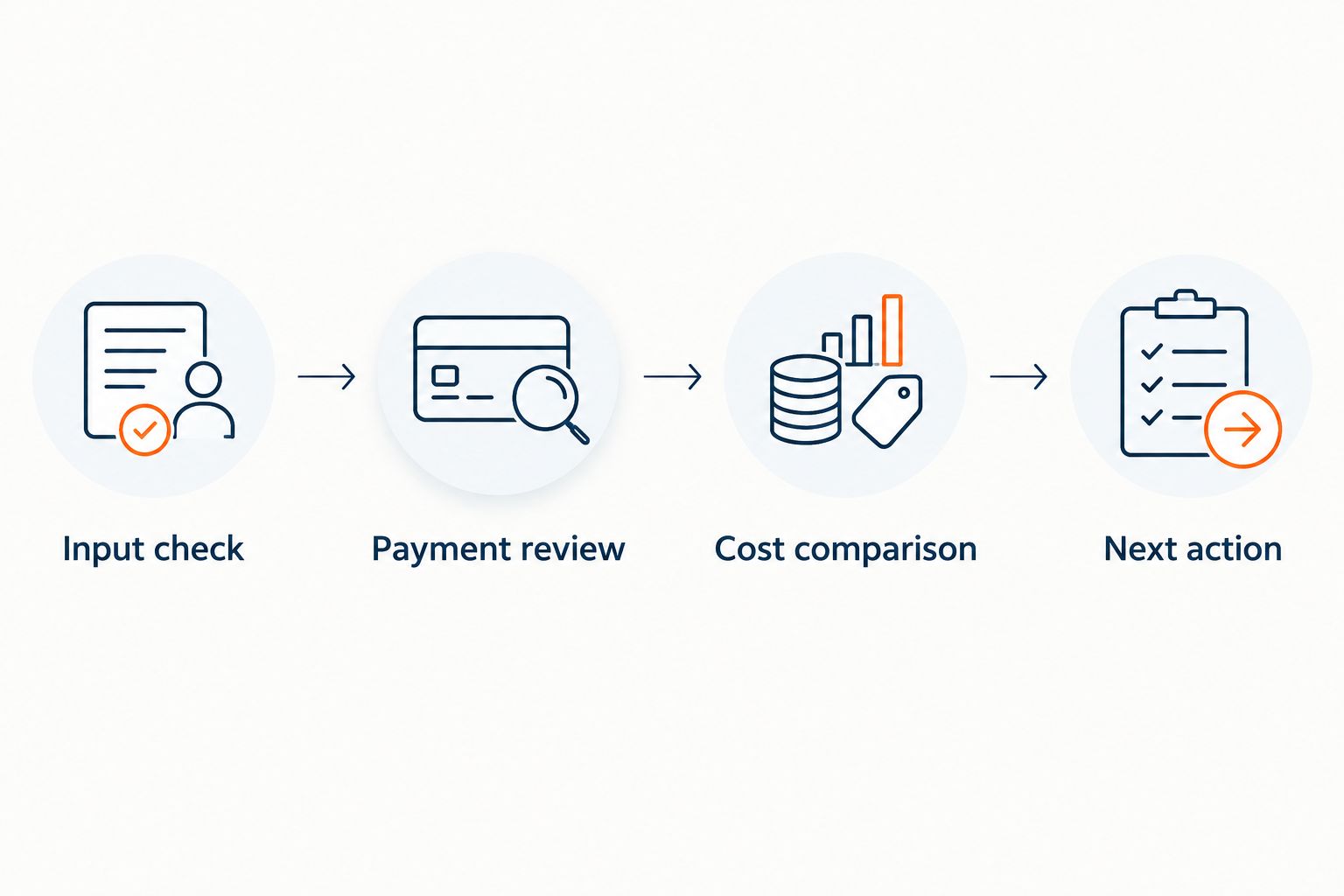
A consistent verification process matters more than keeping several calculators open. Use the same sequence whether you are checking a basic payment or preparing a client comparison.
How the ranking works
The ranking prioritizes a distinct job for each option: individual repayment analysis, client-facing comparison, quick browser checking, or housing-search context. It is a workflow recommendation, not a claim of controlled performance testing.
Karl’s Mortgage Calculator takes the default position because its repayment focus fits individual modeling. Mortgage Coach takes priority when presentation is the central task; Bankrate Mortgage Calculator and Zillow Mortgage Calculator serve narrower entry points.
Nextlevelcoaching mortgage coaching and education addresses the operating rhythm around these tools. Keep numerical analysis, borrower communication, and leadership execution connected without treating a calculator as the whole system.
Which mortgage calculator should you choose?
Choose Karl’s Mortgage Calculator if you need one starting point for individual mortgage modeling. Choose Mortgage Coach instead when comparing alternatives with clients is the main job.
Use Bankrate Mortgage Calculator for quick browser checks and Zillow Mortgage Calculator when the conversation starts with home search. Do not add another tool unless it solves a clearly different task.
For your 2026 operating rhythm, assign a default calculator, a verification process, and a standard way to explain exclusions. Repeat that process before expanding the toolkit.
FAQ
What’s the best mortgage calculator app for a loan officer?
Karl’s Mortgage Calculator is the best starting point here for individual amortization and repayment modeling. Mortgage Coach is the stronger choice when the main task is presenting competing loan scenarios to clients.
Is Mortgage Coach better than a basic mortgage calculator?
Mortgage Coach is better suited to structured client-facing loan comparisons than an isolated payment check. A basic calculator remains useful when you only need to verify principal and interest for a defined scenario.
Can I use a browser calculator instead of downloading an app?
Yes, Bankrate Mortgage Calculator and Zillow Mortgage Calculator provide browser-based payment estimation. Choose the format around the task, then verify the inputs and expense assumptions before discussing the result.
Does a mortgage calculator include taxes and insurance?
A mortgage calculator’s displayed total depends on its fields and the inputs you use. Check whether taxes, insurance, mortgage insurance, and association charges are included rather than assuming the payment covers every housing expense.
Can a mortgage calculator tell a borrower whether they qualify?
No, a mortgage calculator does not establish borrower qualification or replace underwriting. A payment estimate does not verify income, credit, assets, property eligibility, or lender requirements.
How do I check whether a mortgage calculator is accurate?
Compare a controlled scenario using identical principal, interest rate, term, and payment frequency. Check principal and interest separately from taxes and other expenses, then investigate any differences in assumptions or rounding.
Should a loan officer show only the lowest monthly payment?
No, a loan officer should explain the assumptions and trade-offs behind each payment. Compare the relevant loan structure and costs, and distinguish estimated calculations from verified terms and official disclosures.
One last thing
Identical payments do not prove identical assumptions. Before sharing a result, explain what changed, what stayed constant, and what the estimate excludes. That discipline makes the calculator useful—and keeps the borrower conversation focused on the decision rather than the display.